
Maipu BD-Campus SDN Controller
Maipu SDN BD-Campus solution is an integrated solution which includes Maipu SDN controller and Maipu SDN security switches and wireless. This solution greatly enhances internal campus network security by continuous monitoring and auto-blocking the abnormal terminal’s network access. This would stop the potential virus spread or network attack from inside at the early stage. lt earns more time for lT engineers to fix the vulnerability before it affects more terminals in the network.
Not just security concerned, Maipu SDN BD-Campus solution provides automation and insights for the whole network also. The automation helps reduce most of the traditional human errors via CLl commands, with just some simple clicks on the WEB GUl. This system also gives a full-dimension network insights by providing traffic monitoring different types of network and terminal statistics, lP & assets management and so on.
Product Features
Unified Management for Wired and Wireless Networks
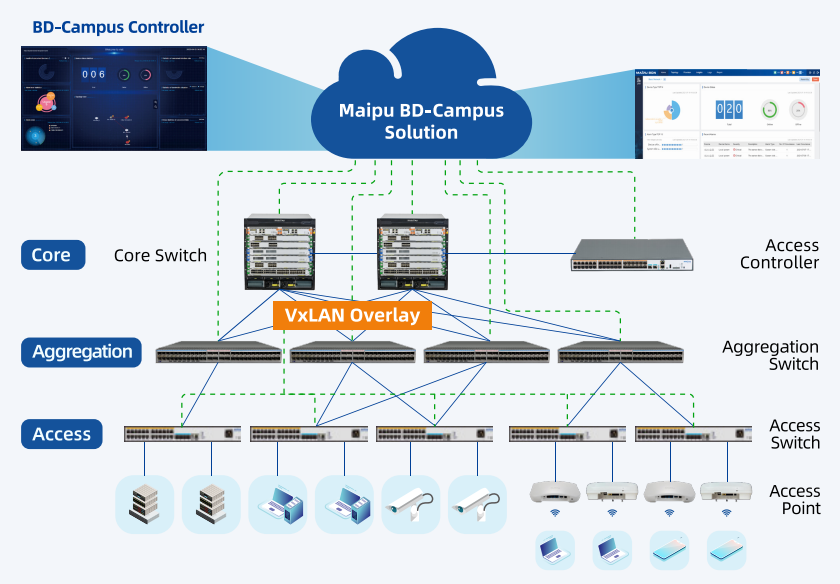
This end-to-end management simplifies troubleshooting, optimizes performance, and enables rapid scalability. Whether expanding network capacity or implementing intelligent traffic steering, our solution meets the demands for flexibility, security, and high efficiency in modern campus networks.
Network Automation
- Zero Touch Provisioning(ZTP):
It is used for automatic startup configurations after device hardware installation on sites. The whole process doesn’t need any network engineer there and anyone can do this easily with just powering on the device.
- Service Auto Implementation:
You can easily start your business services by simply defining the 4W1H modules on the controller’s Web UI. The 4W1H are mapped to What service, Where to deploy, Who & When to access, and How users are authenticated. All the configuration scripts for corresponding devices will be done automatically.
- One-Click Replacement and Auto Upgrade
It’s convenient and fast for network engineers to get rid of the traditional long-lasting procedure with the one-click device replacement and auto upgrade feature. Any human’s error-prone mistake can be now avoided.

Network Security
- Zero Trust Network
Zero Trust Access is one of the key features of Maipu BD-Campus Solution. It mainly does three things to guarantee your network is safely protected:
1) Different services are automatically segmented to avoid the influence of each other.
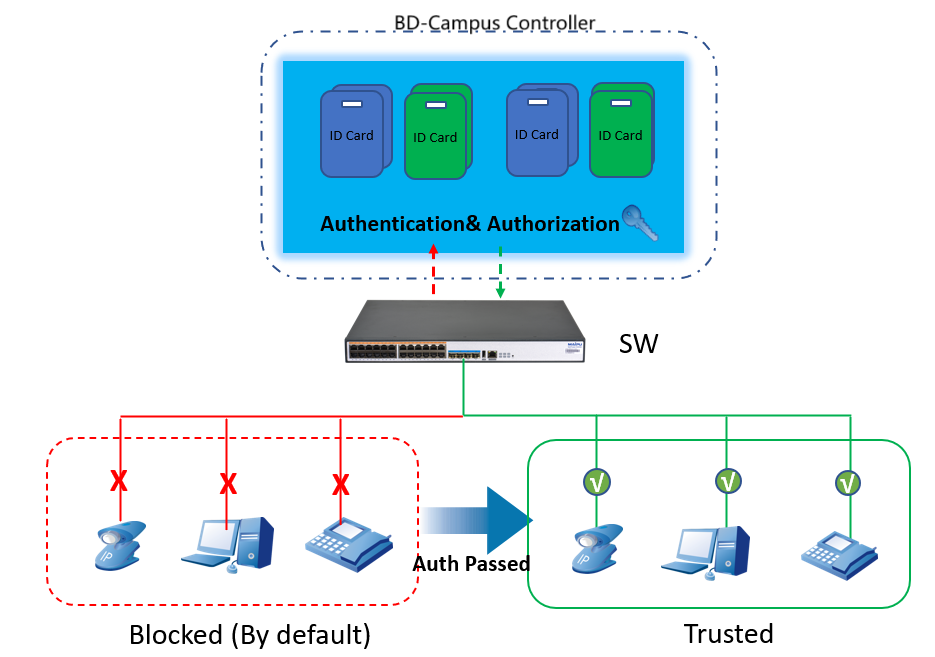
2) By default no terminal access is permitted until it is legally authenticated and authorized. This helps to prevent any unknown terminal access, ensuring that only the proven devices and users are in the network.
3) A Closed-loop network security monitoring and automation mechanism. BD-Campus Controller can interact with your UTM for any potential threat in the network. Once the UTM detects vulnerable behavior, it communicates with BD-Campus controller, then controller will locate and block the port on which the terminal is being connected. It protects the whole internal LAN network and ensures the block action can be taken at the very early stage. The key point is that the whole process is done automatically, without any human-being involved.
- Preventing Loops in the Network
The switch can quickly detect and prevent the loop in the network. A loop warning will also be vividly shown on the Web GUl’s virtual switch panel.
- Segment Services for a Safer Network
By segmenting services into different networks, each network is independently running and the potential influence between services will be mostly avoided.
- Multi-factor Access Policy Control
Terminal credentials will be combined with the available access resources, the valid access time range and the permitted locations. This helps control the access privilege more accurately and flexibly.
Network Insights
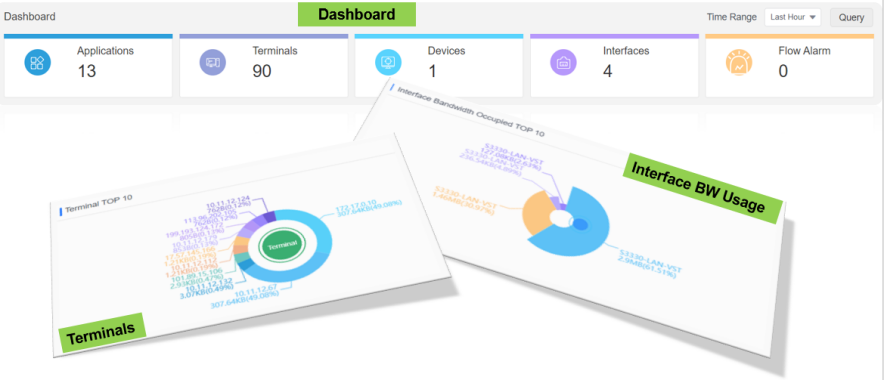
You can also use BD-Campus Controller to achieve the IP management, Asset Management etc.
For network debugging, the rich logs and statistics can help network engineer quickly locate the issue and recover the network.
Typical Application
Download Technical Data Sheet
For product specifications, technical data, and order information, please download the Technical Data Sheet below.