
Maipu BD-WAN Controller
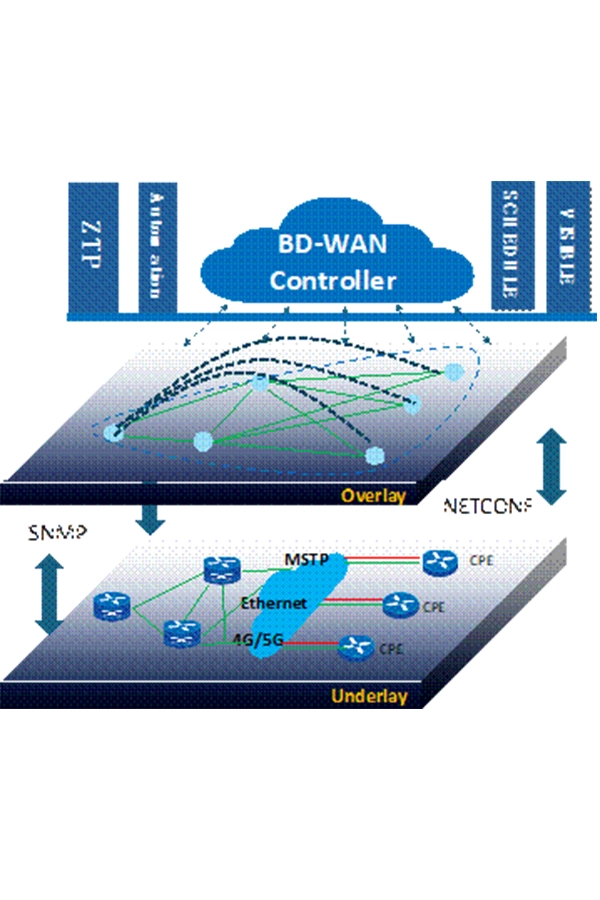
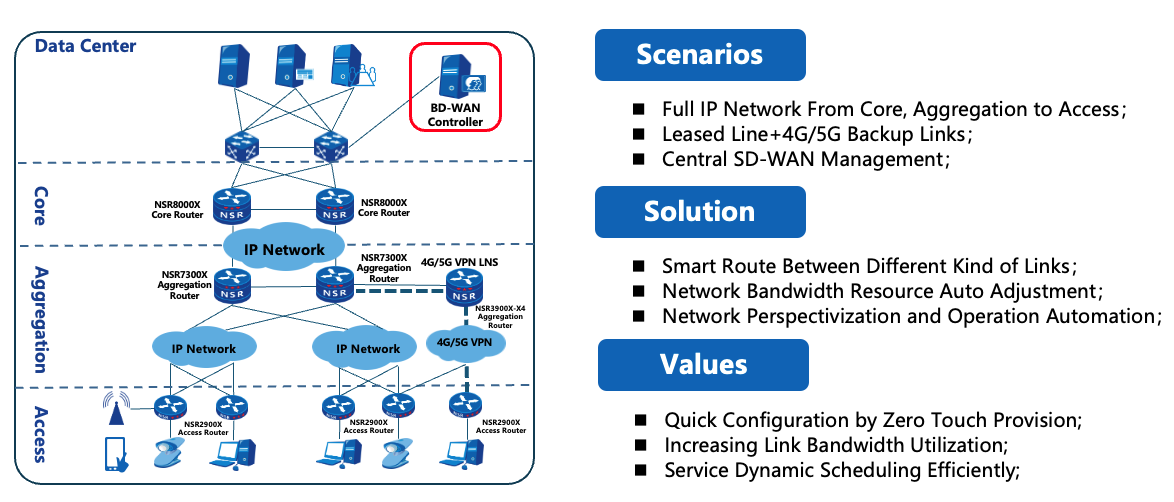
Maipu software defined WAN solution, referred to as Maipu BD-WAN, is the latest generation WAN solution proposed by Maipu that integrates the core ideas of SD-WAN. This solution is oriented to scenarios such as corporate headquarters and branch access, providing a business experience that is superior to traditional technologies, and meeting many needs such as rapid network service deployment, dynamic traffic scheduling, and network/service visual presentation.
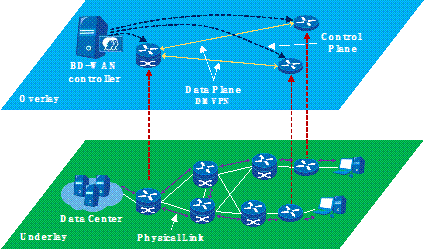
The solution uses DMVPN, the mainstream technology of SD-WAN, to build an overlay logical network to support the smooth migration of traditional WAN networks to SD-WAN. It is suitable for enterprise network scenarios such as banks, government, energy, etc., and meets the needs of next-generation WAN upgrading.
The solution is composed of Maipu BD-WAN controller and routers. Through unified integration of network resources, multi-dimensional observation of network status, and intelligent analysis of operating data, the entire network can achieve multi-level and all-round visualization, and perform centralized control, global scheduling and real-time network optimization based on user policies and business needs. It solves the problems faced by traditional wide area networks such as low degree of automation, low degree of intelligence, invisible network, and high operation and maintenance costs.
Product Features
Overlay and Underlay Architecture
Automatic Deployment
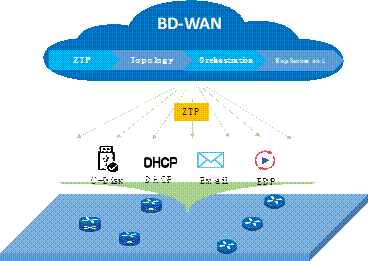
EDP deployment is a patented zero-configuration deployment technology developed by Maipu for enterprise network scenarios. Through the cooperation of the controller and the router, the edge router can be automatically scanned and discovered by the central router even if it has the factory default configuration and no IP address. Underlay configurations such as NETCONF, SNMP, and routing protocols can be automatically delivered through the controller, and edge routers can be deployed and online without complex configuration.
Through the zero-configuration deployment tool, automatic deployment of equipment and services can be realized, detailed information of network nodes can be collected and processed in a centralized manner, configurations of network nodes can be distributed, uploaded, and compared remotely, and network node configuration data can be enabled remotely, saving deployment time and reducing the difficulty of deployment. The equipment can be truly plug-and-play, and achieve zero IT operation and maintenance in branches.
Large-Screen Displaying
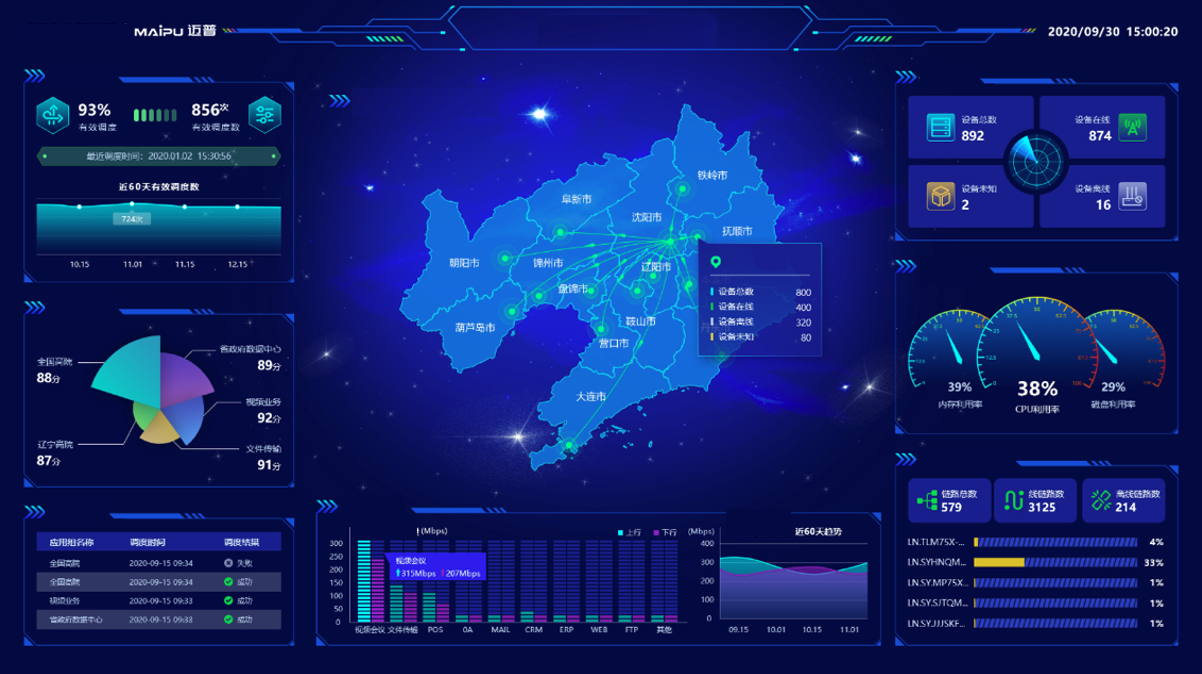
The information displayed on the large screen including business scheduling times, operating status of the entire network equipment, link bandwidth utilization, link traffic statistics, business traffic statistics, business health status, etc. Through large-screen display, it provides customers with a more intuitive and vivid presentation of network status, and uses intuitive, flexible and diverse charts to provide customers with business-driven decision support.
Entire Network Visualization
Path visualization: Through real-time sampling of the network by the controller, the real-time forwarding path of services in the network is presented.
Business visualization: Use network devices as probes to collect traffic information in the network to visualize data flows. Traffic collection can be done at the second level. It supports displaying the traffic information of each application on the controller, including the real-time bandwidth and historical bandwidth of the application, and the bandwidth ratio of the application.
Fault visualization: Real-time collection and alarming of equipment and link status.
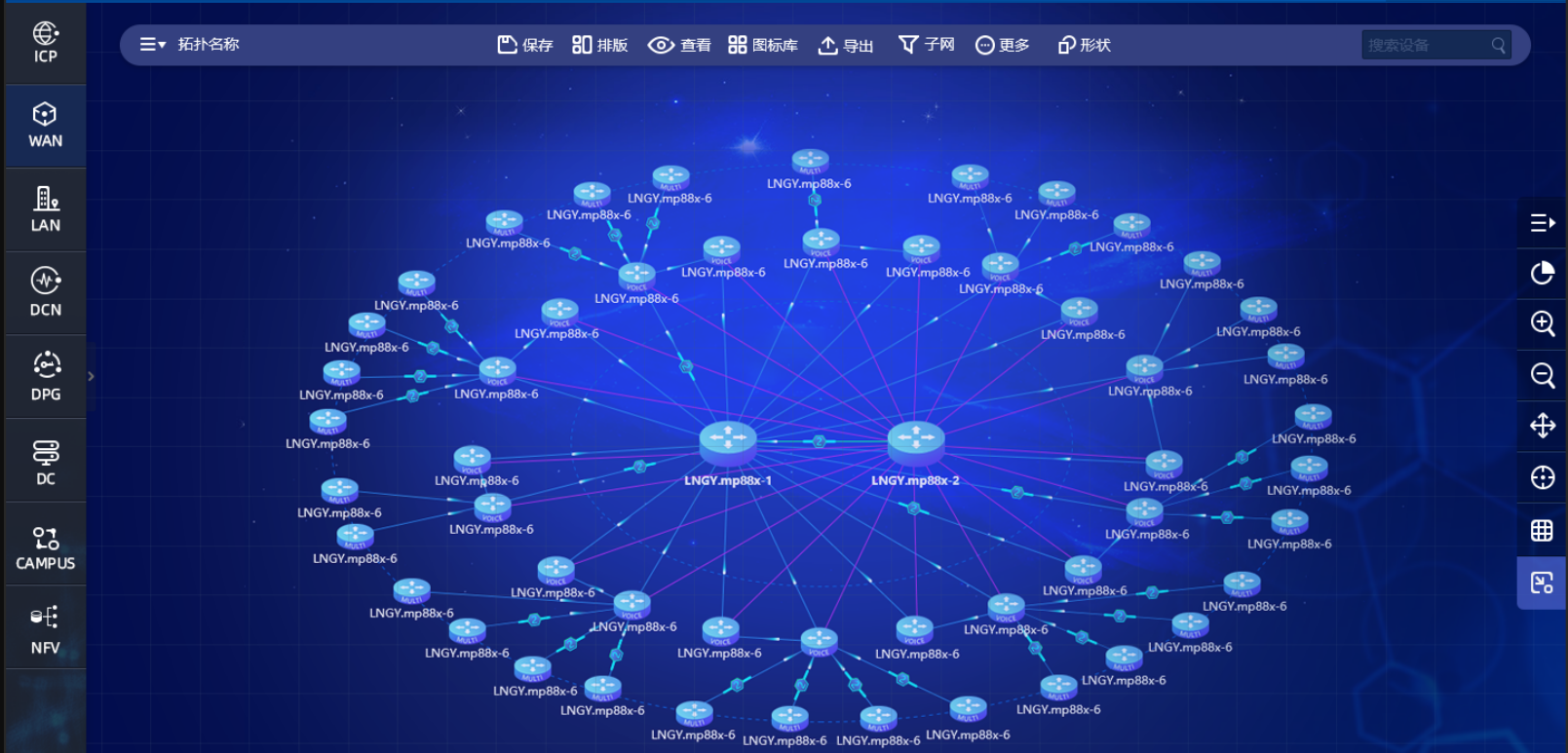
Through full network visualization, traditional network nodes and interconnection links in the network can be fully automatically identified and the entire network topology can be constructed. It can clearly grasp the real-time status of every device, every link, and every business, providing necessary conditions for network tuning and troubleshooting.
Business Health Analysis
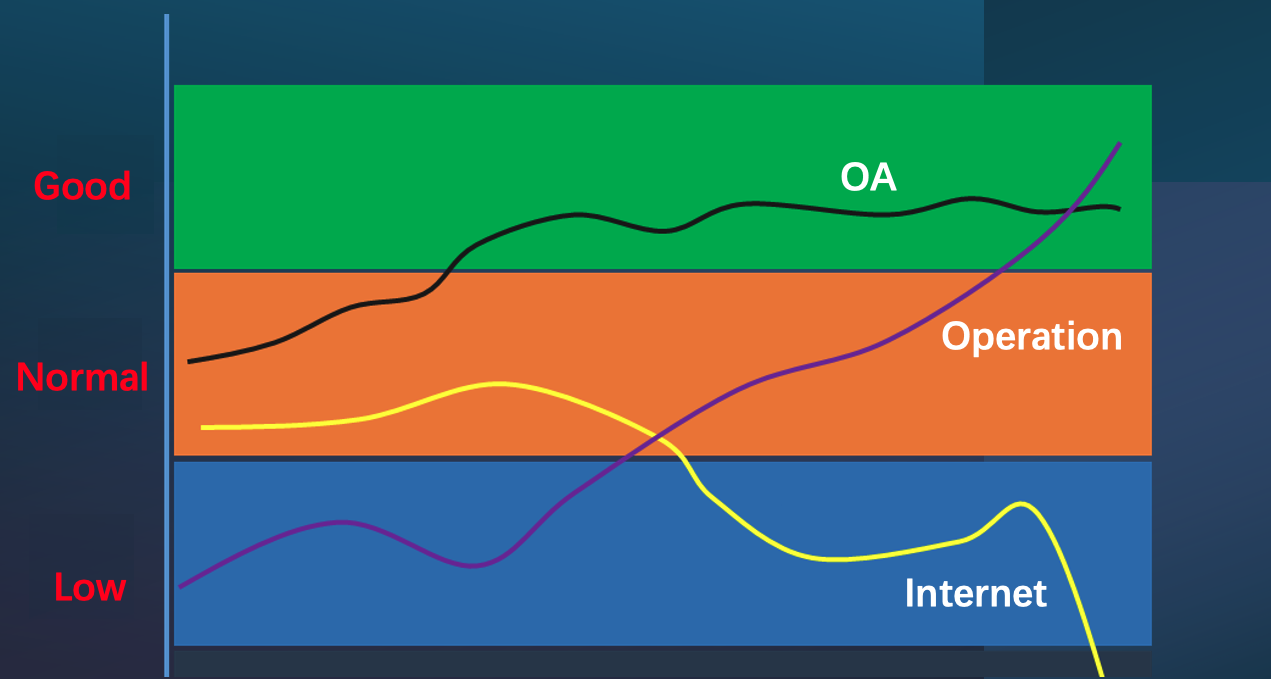
Business health analysis can help customers understand the matching degree of each business under the current network load. Customers can provide decision-making basis for customer network tuning or expansion based on business health ratings and optimization suggestions. The BD-WAN controller can also intelligently predict and schedule sudden business data based on business characteristics to avoid network oscillations.
Intelligent Path Planning
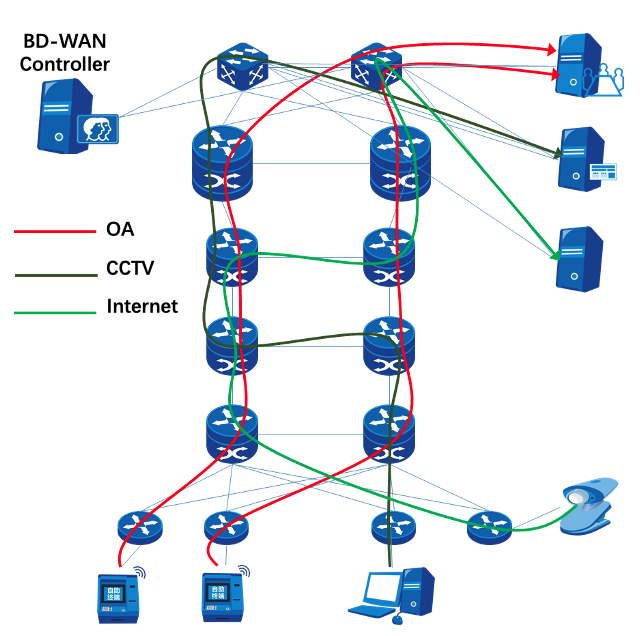
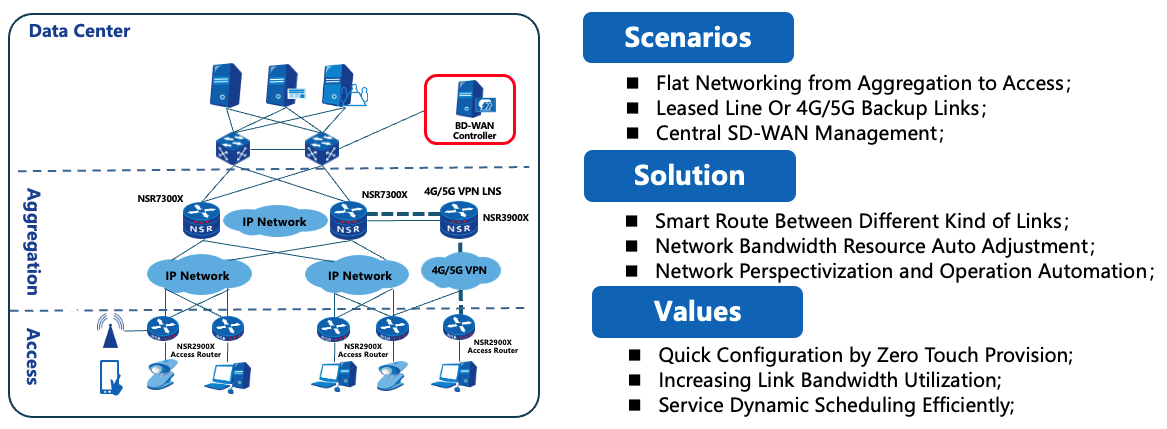
BD-WAN controller supports rich network models without the need for users to significantly adjust existing network structures. It supports flat networking, multi-level vertical networking, and asymmetric networking. BD-WAN can enable traffic scheduling function based on physical links in wide area networks, and supports dividing different logical networks to schedule business traffic in their respective logical networks. It supports the establishment of tunnel traffic scheduling in sections, supports the establishment of one-section tunnel traffic scheduling, and can also establish one-section or two-section tunnels according to the networking model.
Through intelligent path planning of the entire network, achieve one path for one service, and meet the personalized transmission needs of businesses. In addition, automatic planning of the optimal path reduces the difficulty of business deployment.
Typical Application
Two-level Flat Networking
Download Technical Data Sheet
For product specifications, technical data, and order information, please download the Technical Data Sheet below.